
ReelShort movies are bingeworthy. But after enjoying the free episodes, you may be stuck at the paywall in the middle of a viral cliffhanger wondering how the ReelShort payment plan works? Or maybe you’re questioning if the ReelShort app payment is safe? The answer is yes, the ReelShort app is completely safe.
Viewers can choose between a coin plan or a VIP subscription plan to binge-watch their favorite shows without any ads ruining their watching experience. Moreover, navigating these ReelShort payment methods is easier than you think. So here’s the ultimate guide; stay along!
- Part 1: How Does the ReelShort Payment System Work?
- Part 2: Supported ReelShort Payment Methods
- Part 3: Current ReelShort Payment Plans
- Part 4: FAQs on ReelShort Payment
Part 1: How Does the ReelShort Payment System Work?
Known for its past-faced storylines and catchy hooks, with zero dull moments, we all can agree that ReelShort movies are addictive. The best part is you don’t need to watch 2-3 minute trailers and make a choice. Because ReelShort is operated on a freemium model, ReelShort users can enjoy a good 20-30 minutes of its series for free. Once the free preview ends, initiating a ReelShort payment is straightforward and secure.
Meaning, the first 5-15 episodes of ReelShort’s exclusive and premium movies are available for free for all the users. You don’t even need to log in on the app to watch these free previews, and you can enjoy these free episodes across the ReelShort website, YouTube channel, and social media pages like Instagram, TikTok, and Facebook.
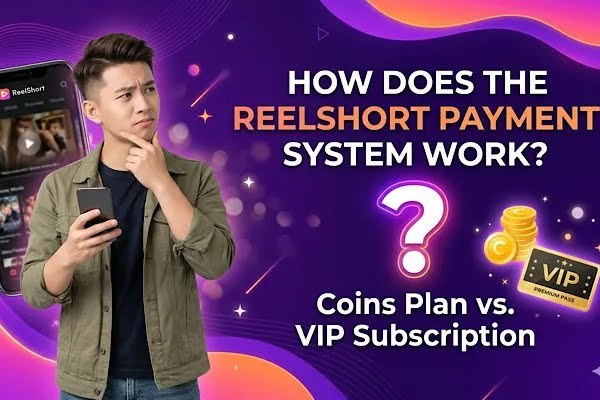
However, the rest of the episodes are locked. These are called premium episodes, as ReelShort viewers are required to unlock them by using ReelShort’s currency or virtual coins. Curious to know more? Let’s dive into knowing more about ReelShort payment plans and the ways to unlock episodes.
1.1 Unlock Episodes Using Coins
ReelShort users can enjoy full episodes of their favorite and preferred shows on both the ReelShort app and website using virtual coins. Users can earn these virtual coins by watching ads, completing simple and easy tasks that are available on the ReelShort app, like log-in rewards, daily check-ins, following ReelShort on YouTube, and more. Viewers can also purchase coins or top up coins to unlock ReelShort’s exclusive movies episode by episode. This pay-as-you-go ReelShort payment structure gives you total control over your spending.
1.2 Subscribe To ReelShort’s VIP
Viewers can enjoy unlimited access with zero ads and zero interruptions on ReelShort. All you have to do is subscribe to ReelShort’s VIP plan. This is best for the regular users who love to have unlimited viewing options to enjoy the wide range of movies on the ReelShort library. This also sorts the problem of unnecessary interruptions like ads, unlocking episodes one by one.
With a dedicated support system and option to cancel anytime, ReelShort’s VIP subscription plan is one of the best opted payment plans used by millions of users, as it comes with a flat price and seamless watching experience with HD visuals and no ads. Choosing the VIP route means your ReelShort payment covers everything for the duration of the cycle.
Part 2: Supported ReelShort Payment Methods
2.1 iOS Payments
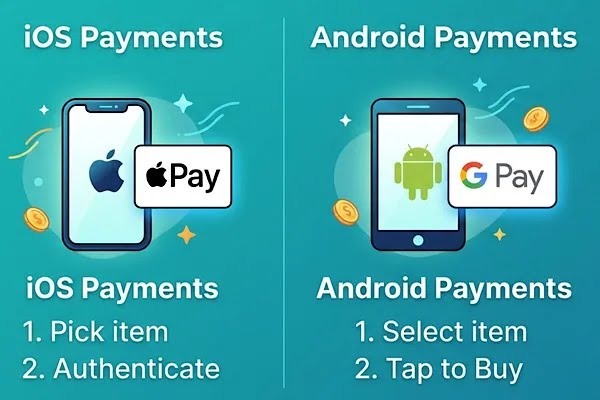
All the iOS users can make safe and easy payments on the ReelShort app with Apple’s secure in-app purchases. Here’s the detailed guide to iOS payments.
- Download the ReelShort app on your iOS device and open the app
- Go to your profile and check out your preferred VIP subscription plan, or you can always choose purchase coin bundles
- Once you have selected your preferred VIP or coins plan, double-click on your iPhone’s side button or use your Face ID to confirm payment. This integration makes your iOS ReelShort payment incredibly fast and safe.
- To manage ReelShort’s VIP plan, you can navigate, manage, and cancel any recurring VIP ReelShort subscription at your Setting or App store.
2.2 Android Payments
Android users can make ReelShort app payments via Google Pay. Here’s the step-by-step guide to complete your payment plan.
- Download the ReelShort app on your Android device. Once the app is installed, open the app and go to your profile.
- Choose between the three VIP subscription plans or a coin bundle.
- Choose Google Pay and confirm your payment. Your Android ReelShort payment will be processed instantly so you can get back to watching.
- To manage and cancel your VIP subscription on Android devices, go to your profile on the Google Play Store app and tap on subscriptions. Under the active list of subscriptions, find ReelShort to update, cancel, and manage your recurring VIP plan.
2.3 Website Payments
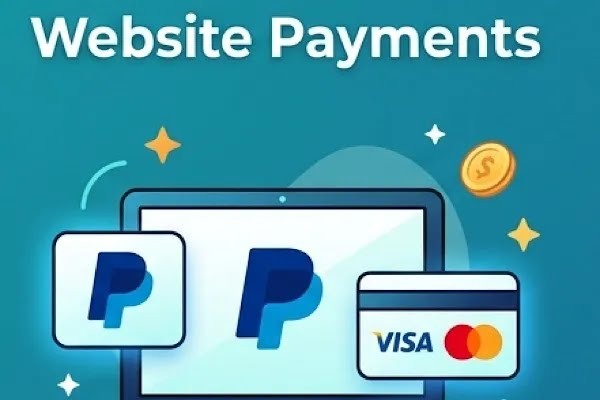
Don’t want to make payments through the ReelShort app? Well, visit ReelShort’s official website to complete your payments. Here’s the quick guide on how.
- Go to ReelShort’s official website and log into your account.
- Click on the profile and check out the store menu to know the prices and coins and VIP plans
- Pick your preferred plan, whether it’s a coins plan or a VIP subscription plan
- Choose your preferred payment option:
- Apple Pay
- Google Play
- Paypal
- Credit/Debit card
- Enter your payment details (eg. Card number, Expiry date, CVV ect.)
- Confirm your payment by clicking on Pay Now or the submit button.
- To manage or cancel your recurring subscription plan via the ReelShort website, go to the profile or account dashboard to find My Subscription or Membership settings, and you can easily navigate your recurring plan and cancel anytime.
Part 3: Current ReelShort Payment Plans
3.1 Coins Plan
You can enjoy the first few episodes of your favorite ReelShort movies for free. While the rest of the paid or premium episodes are locked under a paywall requiring vertical coins to unlock the full movie. These virtual coins are ReelShort money that the users are required to spend to unlock the episodes one by one once the free preview of the movies ends.
Users can choose to earn free coins by watching ads and completing simple tasks. They can also opt to purchase coin bundles to ditch the ads. The price starts from just $4.99, and coin plan prices vary heavily based on your region. So make sure to check your payment prices on ReelShort.
So who should purchase coin plans on the ReelShort app? It’s best for the casual viewers who plan to watch one specific ReelShort movie or only watch a few episodes in a week. Because Coins Plan comes without a recurring fee, and it’s not auto-renewed. So users can purchase coins as they dive into their favorite shows. Making a quick ReelShort payment for coins is ideal for weekend binges.
3.2 VIP Plan

ReelShort offers three kinds of VIP subscription plans for its users. These plans consist of Weekly VIP, Monthly VIP, and Yearly VIP. Unlike coin plans where users usually pay per episode, a VIP subscription allows the viewers complete access and unlimited viewing to the ReelShort library.
The best part is that the ReelShort subscription comes with a flat fee and added benefits like 1080p video quality, daily rewards, zero ads, and dedicated customer support. VIP plan prices start from $14.99, and ReelShort also offers a new user discount. Please note: prices vary from one region to another. So don’t forget to check out ReelShort’s VIP membership plans to know the actual cost.
So who would benefit the most from a ReelShort VIP membership plan? This payment plan is best for regular ReelShort users. Without worrying about ads or paying per episode, they can binge-watch any show on the ReelShort app, as the VIP plan comes with unlimited access to the entire ReelShort TV.
With ReelShort releasing new and exciting movies weekly, VIP users can enjoy multiple shows, and these plans are cheaper compared to the coins plan for binge watchers. Moreover, the VIP plan offers zero ads, so there are no irritating ads popping out while you’re in the middle of your favorite show. So subscribe to ReelShort’s VIP now!
Part 4: FAQs on ReelShort Payment
Q. Why is my payment being declined?
If your payment method is being declined, first make sure to check your card details. If all the information is up-to-date and correct but still you are facing this issue, then try a different payment method or remove and re-enter your card details. A declined ReelShort payment is usually resolved by simply updating these billing details.
Q. Why am I not able to complete my purchase?
Make sure your network connection is proper and cross-check if there are any problems related to your Google or Apple account. You can also try changing your network and payment method if possible or simply switch to the ReelShort website and complete your purchase.
Q. Why haven’t I received what I purchased?
Please wait for 10-30 minutes to see your order, as there could be some network issues or problems while processing your payment. If you still haven’t received your purchase, then you can contact the ReelShort support team with your payment receipts for more help!