
ReelShort is the number 1 vertical movie streaming app. With a diverse range of movies, high-quality visuals, and an uninterrupted seamless watching experience, ReelShort is one of the most loved platforms for all the vertical fans who love drama, thrill, and romance. New to ReelShort and curious to know how ReelShort’s subscription works? Then stay along!
- Part 1: Understanding ReelShort Subscription and its Benefits
- Part 2: How to Cancel ReelShort Subscription on Different Platforms
- Part 3: How to Watch ReelShort for Free
- Part 4: Common Subscription Questions and Answers
Part 1. Understanding ReelShort Subscription and its Benefits
1.1 Unlimited Viewing
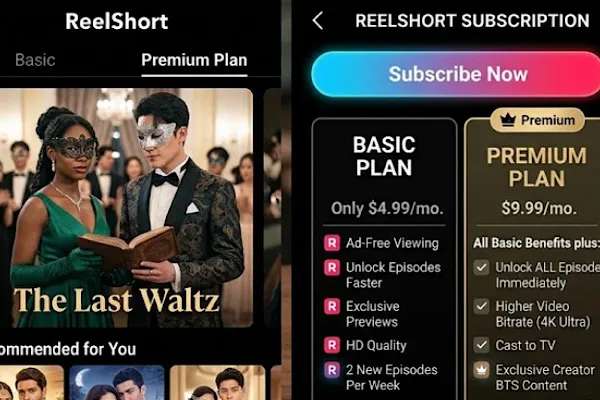
ReelShort offers three different subscription plans: Weekly VIP, Monthly VIP, and Yearly VIP. The subscription plan can be cancelled anytime and anywhere. One of the reasons why vertical fans love to become ReelShort VIP users is because their subscription plan gives them unlimited viewing.
So one plan, unlimited series, is perfect for a movie binge-watch weekend or to simply unwind each day with your favorite verticals without having to worry about any disturbances or buying coins to unlock one episode after another. With unlimited viewing, you can enjoy the full series without waiting.
1.2 Ad-Free Watching
ReelShort Weekly and Yearly VIP subscription plan comes with ad-free watching. Imagine you’re hooked to the screen watching the hero confess his love to the female lead. The tears are coming, but an ad pops out of nowhere. Cue the ruined mood.
That’s why ReelShort offers an ad-free watching experience for its users; all you have to do is pick a subscription plan. This helps the viewers to enjoy their favorite movies with zero ad breaks.
This is much needed because ReelShort movies are vertically formatted, where each episode is usually under two minutes and is packed with plot twists and cliffhangers. So when there’s zero interruptions, you can enjoy these fast paced stories with instant gratification and emotional payoffs.
1.3 High Definition Video Quality & Seamless Watching Experience
A movie’s quality is what makes your experience good or bad. That’s why ReelShort’s subscription comes with high definition 1080p quality. With high visual quality, viewers can enjoy a seamless watching experience on their smartphones by subscribing to ReelShort.
1.4 Dedicated Support
ReelShort subscription comes with dedicated support. This way you don’t have to run to Reddit or to the internet to seek help. Simply go to the ReelShort app and navigate through the VIP center or simply contact ReelShort. Because ReelShort’s subscription can be viewed, changed, and canceled anytime through subscription management, making it easy, convenient, and effortless to navigate.
1.5 Voting Priority
Love watching ReelShort movies and want to vote for your favorites? ReelShort subscription also comes with voting priority. With this, you can go vote for your favorites. Recently, Taming My Bullies, the highest fan-voted series, got a sequel. So your voting matters!
1.6 Daily VIP Rewards
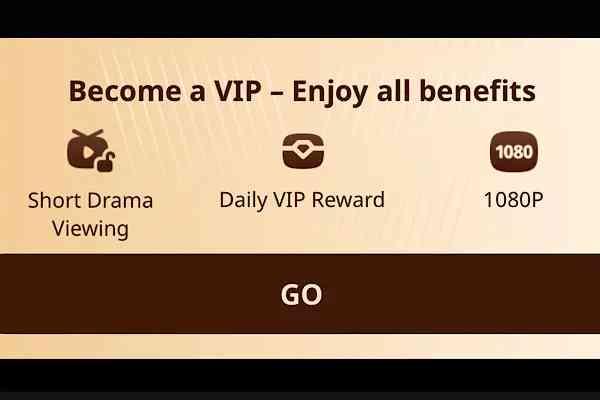
Users can enjoy Daily VIP rewards by choosing a subscription plan on ReelShort. These rewards can be enjoyed to redeem various exciting passes like Vote Prop and Interactive Choice Pass.
How to earn rewards? Well, simply complete easy tasks like logging in daily and binding your email by watching 80 minutes on the app.
Part 2. How to Cancel ReelShort Subscription on Different Platforms
2.1 How to Cancel ReelShort Subscription on Website & App
On ReelShort Website
Go to ReelShort’s official website and log in to your account. Once logged in, open your profile and select “My Account” in the drop-down menu; you will find “VIP Membership.” Here you can manage and cancel the subscription anytime.
On the ReelShort App
Download the ReelShort app on your smartphone and log in on the app. Go to your profile and open the VIP membership banner to manage and cancel your subscription on ReelShort whenever and wherever.
2.2 How to Cancel ReelShort Subscription on Android and Apple Devices
On Android Devices
Android users can cancel their ReelShort subscription via Google Play. Simply go to your profile on Google Play Store. Here you would find “Payments & Subscription.”
Next, choose “Subscriptions” and select “ReelShort” from the list. Once selected, tap on the cancel subscription and confirm.
On Apple Devices
For all the Apple users who want to cancel their ReelShort subscription, simply go to your iPhone settings. Here, you should find your name or Apple ID at the very top. Tap on your name, and you will find all your subscriptions. From this list, choose ReelShort and confirm the cancellation.
2.3 How to Cancel ReelShort Subscription As A Guest
For ReelShort’s guest users, you can easily cancel your subscription plan on the app or website. Simply follow the steps mentioned previously to navigate your subscription.
Part 3. How to Watch ReelShort for Free
3.1 Enjoy the Free Movie Collection

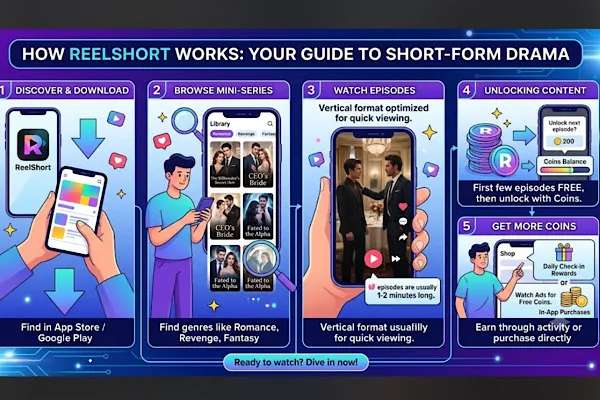
ReelShort app is available to download for both Android and iOS users. The app is available on the Google Play Store and Apple App Store.
The ReelShort app is free to download and doesn’t straight away hit your wallets. Meaning, ReelShort offers free movie collections as well as premium content. The best part is, you don’t even have to log in to enjoy free movies, and even in the free movie collection, you can find a wide range of genres.
From epic nail-biting revenge thrillers to steamy billionaire romance hits, you can find exciting options on ReelShort. For example, “The Virgin Stripper and The Hockey Star,” starring Tess Dinnerstein and Luca Pietro, is one of the steamiest YA enemies-to-lovers movies. And guess what? It’s streaming for free on ReelShort.
Or Jesse Morales’s hit movie “You Fired A Genius Surgeon,” a workplace thriller, is also available on ReelShort to watch for free.
To find these free movie collections, download the ReelShort app and search for keywords like “Free.” Or open the ReelShort app and go to the “New” section. By scrolling down, you can find various free movies to enjoy without worrying about burning your pockets.
3.2 Free Rewards & Bonuses to Unlock Movies For Free

On ReelShort, you can enjoy the premium content for free by making the best out of ReelShort’s free rewards. On the ReelShort app, go to the “Rewards” page. Here you can find various options on how to earn the free virtual coins that can be used to unlock paid episodes.
For example, by doing daily check-ins and by completing easy tasks like following ReelShort on Instagram and logging in on the app, users can earn free rewards, which can be used to unlock episodes for free.
ReelShort app users can also watch ads to unlock paid movie episodes for free. So the key to watching ReelShort movies for free is to download the ReelShort app. To know more about how to watch ReelShort for free, here is a full guide.
Part 4. Common Subscription Questions and Answers
4.1 Does Deleting the ReelShort App Stop the Billing?
No, deleting the ReelShort app on your smartphone does not cancel your subscription plan, which is auto-renewed. So to stop billing, cancel the subscription before deleting the app.
4.2 Can I Convert App Earned Rewards to VIP Subscription?
No. The free rewards or virtual coins the users earn on ReelShort can only be used to unlock ReelShort’s episodes for free. These coins can’t be used to activate VIP subscriptions.
Part 5. Conclusion
ReelShort is one of the leading vertical movie streaming platforms. It offers unlimited viewing with high visual quality and an ad-free watching experience. So to enjoy these benefits, subscribe to ReelShort’s VIP.
ReelShort subscription can be managed, viewed, and cancelled anytime. So download the ReelShort and subscribe!