

We all can agree that ReelShort movies are addictive and incredibly bingeworthy. But getting stuck on a frozen screen or experiencing the ReelShort app crash right at a cliffhanger is surely a frustrating experience that vertical lovers hate to go through.
But don’t worry! You can get in touch with ReelShort contact easily by their built-in ReelShort help center. Here’s the complete guide to ReelShort customer support and how to contact help.
- Part 1: Official ReelShort Contact Methods
- Part 2: Contact ReelShort Support From the Feedback Portal
- Part 3: What to Include in Your ReelShort Support Ticket
- Part 4: FAQ on ReelShort Contact
Part 1: Official ReelShort Contact Methods
1.1 Contact ReelShort Via Email
ReelShort is a vertical drama pioneer app with over 286 million downloads. It has revolutionized digital entertainment in Hollywood and is loved by millions worldwide. Viewers can’t watch enough ReelShort dramas. However, if you’re new here or have been facing any issues with the app, then you can contact ReelShort support via email—reelshort.support@crazymaplestudio.com.
In your email to the ReelShort customer support, make sure you don’t shy away from any details. So explain your issue in detail and from when it all started, add your ReelShort user ID(UID), and attach any screenshot or proof you have.
If you’re contacting ReelShort support for any payment-related issues, then keep your original receipts and include them when you are raising a ticket. When a customer support representative picks up your issue, all these details will help them resolve your issues quickly.
1.2 ReelShort’s Feedback Portal
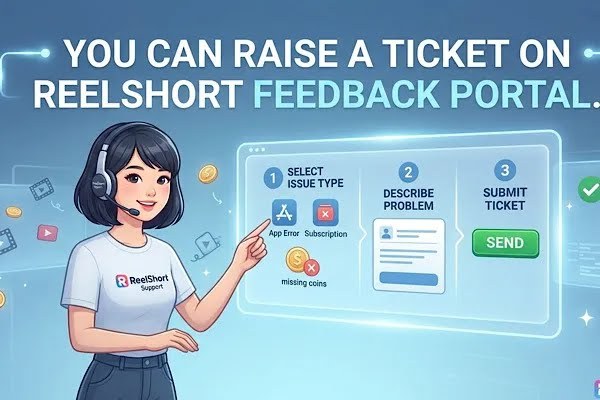
Imagine you’re watching ReelShort’s trending nail-biting drama. The secret heiress just caught her politician husband cheating on her with her best friend. The tensions are high, but it’s frustrating when you face any issues, like your ReelShort app not working or your video keeping freezing.
Though emailing ReelShort customer support is one way to get help, you surely need something quicker. That’s when ReelShort’s feedback portal comes in. Because let’s be real, if you’re caught mid-show, your patience is thin, and you want your common app issues fixed instantly, that’s when you need to check out the ReelShort feedback portal.
Here you can find a wide range of FAQ articles that are self-serviceable. With the search option, you can easily browse through the help articles.
On this feedback portal, you can find detailed and easy solutions with step-by-step guides. With these you can easily fix any common app or account-related issues all by yourself. The best part is that this portal is categorized into various issues and comes with easily understandable solutions.
Say, for example, if you are a VIP member on the ReelShort app and are facing issues with your subscription, the detailed FAQ subscription-related article on the ReelShort feedback portal explains clearly how to navigate your subscription plan, renew, and cancel, and even helps you guide you on how to stay on top of your billing cycle.
Facing issues with your free rewards on the app? There’s a separate category for reward issues on the feedback portal. So don’t forget to check it out!
Part 2: Contact ReelShort Support From the Feedback Portal
2.1 Where Can You Find the Feedback Portal
ReelShort feedback portal is packed with helpful articles to help you guide to resolve any and most app-related issues. However, if you need further help, you should contact ReelShort support.
On the official ReelShort website, go to the bottom of the homepage. Here you will find support/feedback. Click on it to access the Contact Us option to reach out to ReelShort customer support.
Are you using the ReelShort app? Contacting ReelShort support is easy. All you have to do is go to your ReelShort profile and scroll down to find the Feedback option.
2.2 How to Submit a Ticket (Step-by-Step Guide)
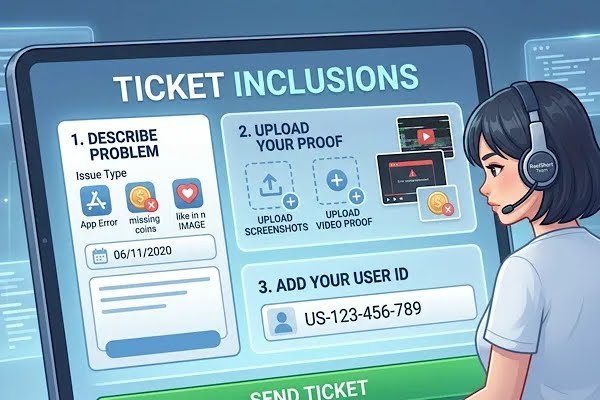
- On ReelShort’s “Feedback” page you can easily find the “Contact Us” feature. Once you locate this option, simply click on it to fill out a quick form to raise a ticket.
- To raise your ticket, firstly choose the exact category in Feedback Type that fits your concern. If you are facing issues with the ReelShort app not working or videos freezing, then select “App Issue” and next scroll through the options in the drop-down menu to pick the exact or related app-related issues you’re facing.
- For example, if you are facing issues with episode loading, then choose “Technical Issue — Episode Freezing/Loading Issues.”
- Next, you will find the Description column. Here, simply paint a picture of your concern. Simply mentioning “my app is crashing” is not going to help the customer support understand your concern. So go into the details. Describe when and how the issue arose.
- For example—“I was watching the Dream On show on the ReelShort app when an error popped up when I was just about to hit episode 10. Then my app crashed. This is my ReelShort user ID (××××).” Explaining your concern helps the customer care agent understand better and can help you resolve it quickly. So don’t hesitate to mention more details!
- Attach your proof. If your description is going to paint a picture of what exactly your concern is, then by adding a screenshot of the error you’re facing or a screen recording, it will be even more helpful. So upload your proof!
- Enter your email address. This will help the ReelShort customer support team to reach you with a solution.
- Check all the details to ensure there are no typos. Then click on the submit button to raise a ticket with ReelShort support.
2.3 How Do I Check the Status of my Ticket
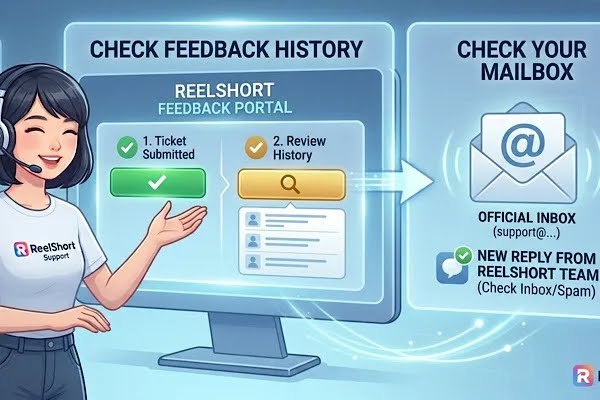
On the same ReelShort feedback portal, you can find the “Feedback history” feature. Click on this to take a look at your resolved and processing tickets. Also, check your email address. Once you have raised a ticket, the ReelShort customer care agent will reach out to you with a response.
Part 3: What to Include in Your ReelShort Support Ticket
3.1 Add Your Email
While you’re submitting a ticket on the ReelShort feedback portal, make sure to include your active email address without any typos to receive a timely response from the customer support.
3.2 Include Proof
To help the ReelShort support address and solve your issues quickly, do attach if you have any screenshots or screen recordings. Say, you cannot log in on the ReelShort app, and there’s a frustrating error that keeps popping up. So take a screenshot of the error and attach it as your proof.
Facing any payment issues? Keep your payment receipt and attach it as proof when you are raising a ticket on the ReelShort help center. Though this isn’t a mandatory step, it will be a time saver, as screenshots or any proof will help the customer service team review your issue better. So don’t forget!
3.3 Device Details & ReelShort User ID
Mention your device name and whether you’re an Android or iPhone user alongside your ReelShort user ID if you need help with any app-related issues.
3.4 Double Check Your Details
Make sure you double-check your email address and it’s active with no errors or typos. This way you can receive the timely response from the ReelShort customer support.
Part 4: FAQ on ReelShort Contact

Q: What are the working hours of ReelShort support?
ReelShort support is available from 12:00 am to 8:00 am (ET) from Monday to Sunday.
Q: How to check the status of my ticket?
On the Feedback portal, click on Feedback history to check the status of your ticket. If you have contacted ReelShort via email, please check your inbox for a response mail.
Q: I forgot to attach photos when I submitted my ticket. How can I upload my proof?
If you have already submitted a ticket, then simply click on the ticket to add any photo, screenshot, or screen recording.