

Delivering fast-paced stories with rapid cliffhangers and plot twists you never saw coming, ReelShort has definitely changed the way we watch drama. But getting stuck on a cliffhanger or facing any technical error in the middle of your binge session is frustrating. If that’s you, then don’t worry!
You can reach out to ReelShort Help Center to get your issues sorted out quickly. So here’s the quick guide on how. Stay along!
- Part 1: Where can you find the ReelShort Help Center?
- Part 2: How to Use the ReelShort Help Center?
- Part 3: Is there a support email for getting ReelShort help?
- Part 4: FAQs on the ReelShort Help Center
Part 1: Where can you find the ReelShort Help Center?
It’s always a frustrating experience if you get stuck on a blank screen or if your app is crashing while you’re watching your favorite show. Especially if you are stuck on a nail-biting cliffhanger. But don’t worry, the ReelShort help center is here to help you!
Here’s the step-by-step guide on finding ReelShort Help Center:
1.1 Via ReelShort’s Official Website
- First, Go to ReelShort’s official website (reelshort.com) and log in. Make sure to sign in using the same account you previously used (with your email address or third-party account)
- Next, scroll all the way to the bottom footer to find “Feedback”
- Then, click on it to be redirected to ReelShort’s Help Center.
1.2 Via ReelShort App
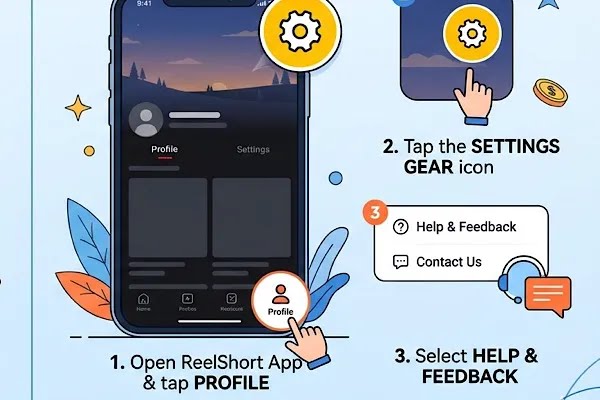
- Download the ReelShort app
- Log in on the ReelShort app and go straight to your profile icon in the bottom right corner.
- Scroll down to find the Feedback icon and tap on it to access the ReelShort help center
Part 2: How to Use the ReelShort Help Center?
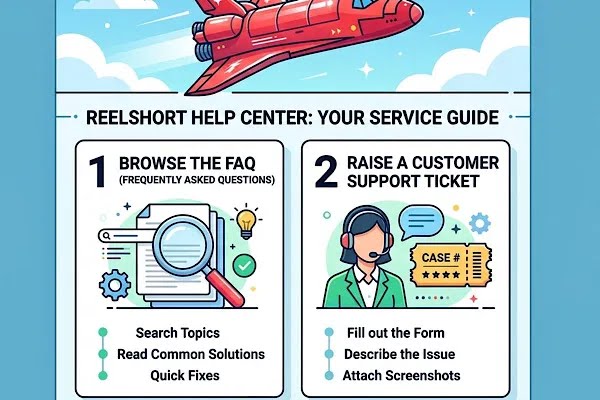
2.1 Browse through the FAQ content
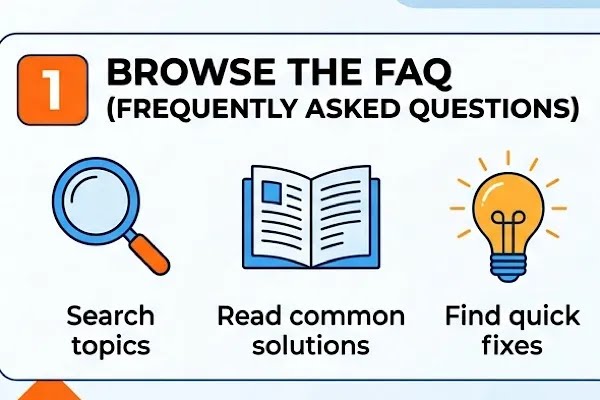
On ReelShort’s help center you can find various FAQ articles. With these viewers, you can easily resolve any minor issues instantly without waiting for an agent to enter the chat to address your problems.
ReelShort’s FAQs are designed to provide immediate solutions with an easy search option and various categories to help you out. So here are the FAQ categories you can navigate on ReelShort’s help center:
2.1.1 Payment Issue
Is your payment getting declined? Or are you facing any error while trying to pay? Don’t worry, you can find detailed solutions to your payment issues on the ReelShort’s FAQ content.
2.1.2 App Features
Have a coupon but don’t know how it works? Or are you facing issues while redeeming your VIP gems? Visit the ReelShort’s help center’s feedback portal and browse through the solutions available on the ReelShort FAQ page.
2.1.3 Subscription Issue
Do you have any doubts on how to navigate your subscription, like your VIP plan not being activated or how to cancel your subscription? Go to ReelShort’s help center to find detailed FAQ articles to find answers!
2.1.4 Technical Issue
We vertical fans can already tell how frustrating it is when your app crashes while you’re in the middle of a cliffhanger or if your videos keep freezing! With your patience already running out, you need troubleshooting tips immediately. That’s why you need to check out ReelShort’s FAQ page to find easy solutions.
2.1.5 Account Issue
Facing any account issue? Browse through the ReelShort’s FAQ contents now!
2.1.6 Earn Rewards
Watching movies on ReelShort is definitely not expensive. Because ReelShort offers free rewards and bonuses for its viewers who can enjoy these free treats to unlock their favorite shows. Users can earn free rewards by watching ads and completing daily tasks. However, it’s a frustrating experience if you don’t receive your free coins after putting in the time. So don’t worry! Visit ReelShort help center to find answers.
2.1.7 Ads Issue
Watching ads on ReelShort comes with free rewards. Millions of users are enjoying ReelShort’s viral hits for free on the app by watching ads and using the free rewards, which are warned to unlock their favorite shows. So if you’re facing any issues with ads, don’t forget to browse through the FAQ articles.
2.1.8 Episode Issue
Got any issues with your episode record or some shows not made available in your region? Check out ReelShort’s FAQ to find answers!
2.2 Submit a ticket
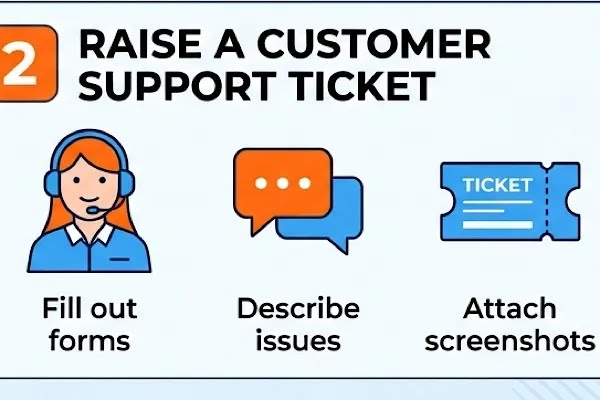
FAQ articles are definitely super easy to understand and helpful. But if your issue still continues, then don’t worry; you can raise a ticket to get in touch with ReelShort customer service. Here’s the brief guide on how to submit a ticket:
- On the ReelShort website, go to the homepage and scroll all the way to the bottom to find the Feedback option and click on it. If you’re using the ReelShort app, then go straight to your profile and scroll down to find the “Feedback” icon and click on it to access ReelShort’s help center to get started
- Next to raise a ticket, you will need to fill a simple form. To get started, first you will need to choose the exact category in the Feedback Type. For example, if you are facing issues with an app crashing or videos freezing, then select “App Issue” and next in the drop-down menu, you can pick the exact or related app issues you’re facing.
- Fill the description column along with your ReelShort user ID (UID). To make sure the customer service agent understands your issue better, make sure you are describing your issue in detail. Go into the details from when you were facing the issue and how it all started. This is to paint a picture of your issue so the ReelShort team can help you fix it quickly.
- Once you have described your issue, you can next attach proof such as a screenshots. In this way the ReelShort help center team knows exactly what your error is. So don’t forget the proof!
- Enter your email address and double-check your information to make sure there are no typos, and click on the submit button to raise a ticket
Part 3: Is there a support email for getting ReelShort help?
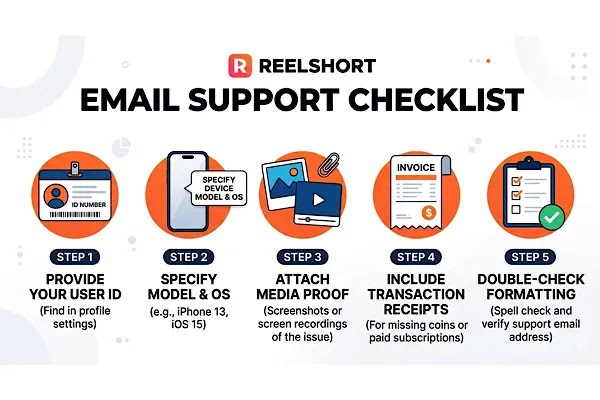
Yes, you can reach out to the ReelShort support team at reelshort.support@crazymaplestudio.com. In your email, make sure to include these details so when the customer support team representative picks up your concern, they can help you solve it quickly:
- Include any screenshot of your error or screen recordings while reaching out to the ReelShort support team. Though this isn’t a must, attaching proof definitely helps. Especially if you’re contacting the ReelShort help team for issues related to payments, please don’t forget to attach the receipts!
- Are you contacting the ReelShort support team via email for any app-related issues? Then include details like your device name.
- Always make sure to double-check the email address, and ReelShort user ID before you hit the send button!
Part 4: FAQs on the ReelShort Help Center
Q. What’s the ReelShort Help Center telephone number?
Please note the ReelShort customer service team doesn’t have a phone number. To contact the ReelShort help, users can reach out via email or raise a ticket on the Feedback portal.
Q. I forgot to attach proof when I submitted my ticket. Can I upload my proof now?
Yes, if you missed out on attaching evidence when you submitted your ticket, then don’t worry. You can attach any proof or screenshot in the chat window. Simply click on the ticket on the Feedback portal to include any evidence.
Q. When Can I Get A Response From The ReelShort Support Team?
Users typically get a response within 24-48 hours. So please wait! To check the status of your ticket, you can go to the Feedback portal and click on the Feedback history to access your tickets and know the status of it. For users who have reached out to the ReelShort customer service team via email, make sure you check your inbox.
Q. What are the working hours of the ReelShort help center?
ReelShort service hours are available from Monday to Sunday, 12:00 am to 8 am (ET).