
ReelShort has taken over the internet with its addictive vertical movies. From the viral billionaire romance to the nail-biting fantasy revenge thrillers, ReelShort movies are bingeable.
Fans love ReelShort for its snackable verticals. But most don’t know that using ReelShort as a guest without logging in has put their ReelShort accounts at risk. That’s why let’s dive into finding how to secure your account through ReelShort login. Stay along!
- Part 1: Why a ReelShort Login is Essential?
- Part 2: Supported ReelShort Login Options
- Part 3: The ReelShort App: A Built-In Safety Net for Your Login
- Part 4: FAQs on ReelShort login
Part 1: Why a ReelShort Login is Essential?
With ReelShort switching the entertainment game, you can enjoy its massive library featuring a wide range of billionaire, revenge, and kick-ass heroine dramas anywhere and anytime. These movies are bingeworthy, and ReelShort offers exciting free previews of episodes so you can get a taste of what’s coming!
This popular vertical streaming app is available to download on both iOS and Android devices. The ReelShort app is completely free and safe to download. Users can enjoy ReelShort’s massive library without logging on the app. But did you know that a ReelShort login is essential? Curious to know why? Then let’s find out:
1.1 Cross-Device Synchronization
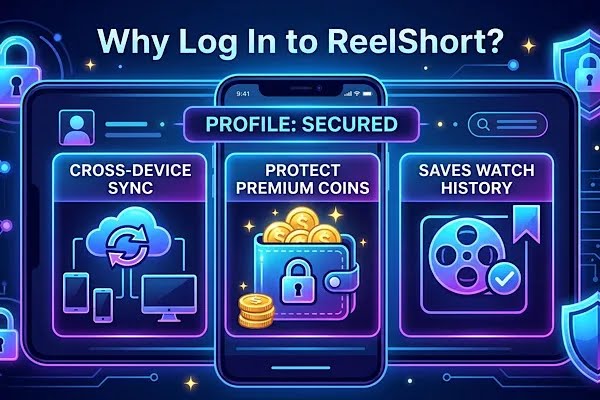
Creating an account on ReelShort ensures that your vertical movie binge session is uninterrupted. Because with cross-device synchronization, ReelShort’s users, when they sign up on the app, can use their login credentials to sync their ReelShort account between their smartphones, tablets, and PCs. Imagine you fell in love with a fast-paced revenge thriller on ReelShort while you’re on a subway. A quick ReelShort login saves your progress right then and there. So when you’re back home, you immediately want to pick up at the exact moment you left off on ReelShort but this time on your desktop. This isn’t possible if you’re not signed up on ReelShort.
So logging on ReelShort helps you keep track of your watch history and helps you sync your account so you can pick where you left off and have access to all the ReelShort series you’re watching, have started, or have completed. The best part is you can also create an exciting watchlist for your binge session and enjoy your favorite picks anytime with an uninterrupted viewing experience on ReelShort! A successful ReelShort login guarantees that your watchlist is always updated across devices.
1.2 Unlock Bonus Coins
Ready to earn some free rewards? ReelShort offers free coins for its users when they bind their email and login on the app. With these freely earned bonus coins, ReelShort viewers can unlock their favorite shows without worrying about their wallets. They can use the bonus coins to unlock the viral hits on ReelShort. Just complete your ReelShort login today to claim these amazing benefits.
1.3 Prevent Permanent Data Loss
There’s no doubt that everyone can use ReelShort without a login on the app. But when you use ReelShort as a guest, you may lose your watch history, purchase coins, and more. Because when you clear your app cache or browser history or lose your phone, you also lose access to your ReelShort account. Since you have not bound your email or have created an account, it’s highly impossible for you to regain access to your account. Without a ReelShort login, your data remains vulnerable. This means you may lose access to your ReelShort wallet.
That’s why logging on ReelShort is important. Because once you create an account and log in on the ReelShort app or website, you can keep track of your watching data, your watchlist, and every single purchase you make. Be it your subscription or a coin bundle, these purchases are linked to your account.
So if you lose your phone, accidentally delete the app, or clear the browser, you can get back on ReelShort and log in to gain back the access with instant recovery using the same login credentials you signed up previously on ReelShort. Plus, your membership or any purchasing data are safe and 100% secure. This level of security is exactly why a ReelShort login is highly recommended.
Part 2: Supported ReelShort Login Options
2.1 Sign in with Email
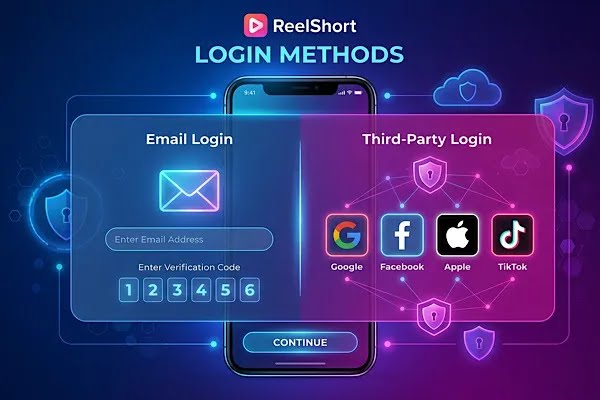
On ReelShort, users can create an account using their email address. This is one of the easiest and most direct methods with no need of linking their social media profiles to ReelShort. The best part is that viewers are not forced to memorize a password. Instead they can log into ReelShort via email using a security code sent to their inbox. Here’s the step-by-step guide to ReelShort login using email.
- Install the ReelShort app or visit ReelShort’s official website.
- Tap on the Profile icon (you can find the profile icon on the bottom right of your screen on the ReelShort app and on the top right of the official website).
- Click on the “Log in/Sign up” option and next select the “Sign in with Email/Email” option.
- Add your email address and click on the “send code/get code” button.
- Enter the verification code from your email inbox and click submit to log in on ReelShort via email.
- Now your ReelShort login is complete and you are ready to watch.
2.2 Sign in with third-party account
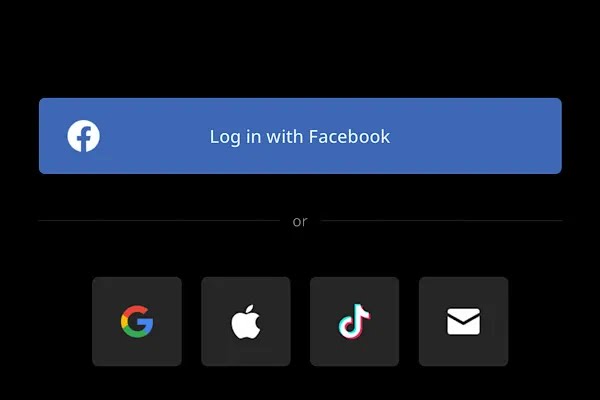
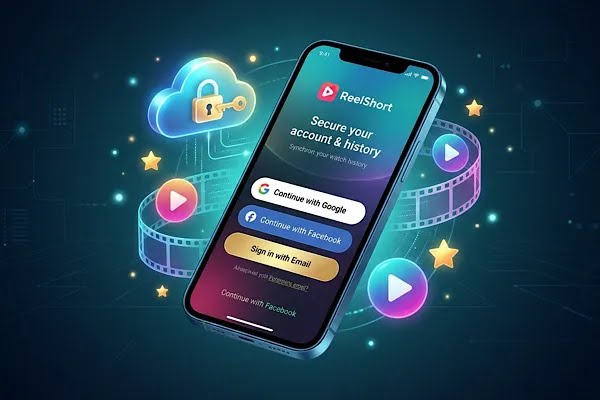
Looking for the fastest way to sign up on ReelShort? Sign up using third-party accounts like Facebook, Google, Apple, or TikTok by following this step-by-step guide.
- Open the ReelShort app and go to your profile or visit ReelShort’s official website
- Click on the Log in/Sign up option and take a look at the grid of social icons. These include Google, Facebook, Apple, and TikTok
- Next, choose your preferred third-party account and tap on confirm or continue to log into ReelShort. Using a third-party option often makes the reelshort login much faster.
Part 3: The ReelShort App: A Built-In Safety Net for Your Login
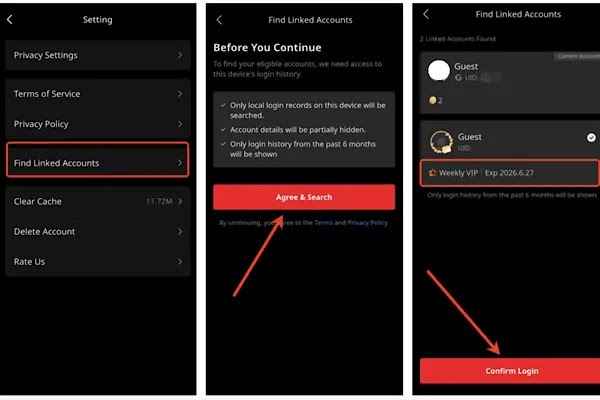
If you haven’t downloaded the ReelShort app yet, then you’re missing out. With safety and daily rewards, ReelShort offers exciting features and a seamless watching experience for its users. To improve things, ReelShort has also introduced “Find Linked Accounts.” This built-in feature is exclusive to the ReelShort app. It acts as a backup for your ReelShort login history.
Using this latest feature, ReelShort users can retrieve their old accounts logged in on their device within the past six months. If you’re someone who forgot how they originally signed up on the app or have accidentally created multiple profiles on the same device and now you wonder in which profile you have made a particular purchase or had left off watching your favorite show, then this built-in feature is a time saver!
Whether you accidentally deleted the ReelShort app or have lost access to your ReelShort account, you can use the Find Linked accounts feature to look for your ReelShort accounts (identified by your unique ReelShort user ID/UID) you have logged in on that device within the last six months. Here’s how to find the Find Linked Accounts feature on the ReelShort app:
- Go to your ReelShort profile on the bottom right corner
- Scroll down to find “Settings”
- Click on the “Find Link Accounts” option
- Click on Agree & Search to find accounts linked to your device within the past six months.
Part 4: FAQs on ReelShort login
1. Should I Pay to Create an Account on ReelShort?
No, creating a ReelShort account is completely free. Initiating your ReelShort login costs nothing, so don’t worry about your wallets to sign up on ReelShort!
2. Can I use ReelShort without logging in?
Yes, you can watch and access the ReelShort’s massive library without needing to log in. However, logging into your ReelShort app or website is safer. With free rewards, you can also secure your purchases or watch data.
3. I forgot my password. How can I reset my password?
If you have logged into ReelShort using your email address, you can log in back by typing the verification code you receive in your email inbox. Or simply follow the prompts on your ReelShort’s web log in page by clicking on the Forgot Password option to get back watching Reelshort TV.
4. I can’t log into the ReelShort app. What to do?
It’s surely frustrating when you can’t log in to your ReelShort app. It may be due to a bad connection, so start off by checking your internet connection first. You can also try to reboot your Wi-Fi modem and restart your ReelShort app. If the issue still continues, contact the ReelShort support team to get help! They can assist you with any ReelShort login issues.
5. I lost my purchases and progress after I logged into Google/TikTok. How can I get this back?
You can use ReelShort’s exclusive built-in app feature “Find Linked Accounts” to find any account linked to your device within the past six months.